
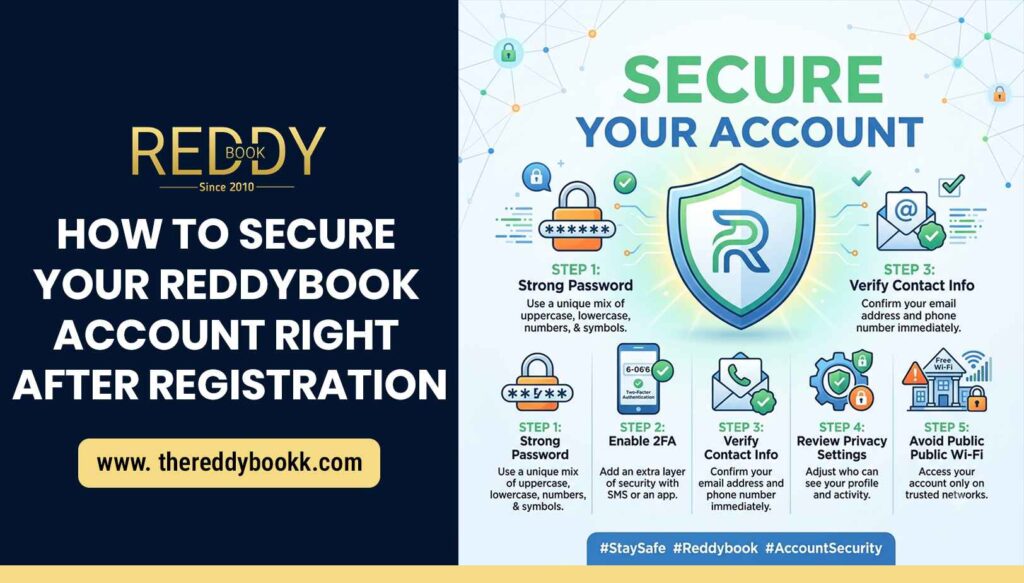
Creating an account on any online platform is only the first step. The real responsibility begins after registration, especially when your account contains personal information, transaction details, or login credentials. If you have recently joined Reddybook, securing your account should be your top priority. Cyber threats, phishing attempts, and unauthorized access are becoming increasingly common, making account protection more important than ever.
Many users make the mistake of ignoring security settings immediately after signing up. However, the first few minutes after registration are the most critical because your account is still vulnerable if proper protections are not enabled. A secure account not only protects your balance and personal information but also ensures a smooth and worry-free experience on the platform.
This article explains the most effective ways to secure your Reddybook account right after registration and reduce the risk of unauthorized access.
Use a Strong and Unique Password
The first layer of protection for your Reddybook account is your password. Weak passwords are one of the most common reasons accounts get hacked. Many users choose simple combinations such as birthdays, phone numbers, or easy-to-guess words. Hackers can crack these passwords within seconds using automated tools.
To create a strong password:
- Use at least 12 characters
- Include uppercase and lowercase letters
- Add numbers and special symbols
- Avoid using personal information
- Do not reuse passwords from other websites
For example, a password like “Reddy@2026#Play” is far stronger than “password123.”
It is also recommended to use a password manager. Password managers securely store your credentials and help generate highly secure passwords that are difficult to guess.
Enable Two-Factor Authentication (2FA)
Two-factor authentication adds an extra security layer to your account. Even if someone discovers your password, they still cannot access your account without the second verification step.
Most modern platforms support 2FA through:
- SMS verification codes
- Authentication apps
- Email confirmation codes
Once enabled, you will receive a one-time code whenever you log in from a new device or location. This significantly reduces the chances of unauthorized access.
Always choose authentication apps over SMS if possible because they are generally more secure against SIM-swapping attacks.
Verify Your Email Address and Mobile Number
Immediately after registration, verify your contact details. Your email address and mobile number are essential for account recovery and security notifications.
Verification helps you:
- Recover your account if you forget your password
- Receive alerts about suspicious login attempts
- Reset credentials safely
- Protect your account from unauthorized changes
Use an active email address that only you can access. Avoid using temporary or shared email accounts because they can compromise your account security.
Beware of Phishing Websites and Fake Links
One of the biggest risks online users face today is phishing. Hackers create fake websites or messages that look similar to legitimate platforms to steal login credentials.
To stay safe:
- Always type the official website address manually
- Visit – Reddy Book
- Bookmark the correct login page
- Avoid clicking suspicious links from unknown messages
- Check for HTTPS security in the browser address bar
- Never share your login details through email or chat
Cybercriminals often send fake promotions, bonuses, or urgent account alerts to trick users into entering their credentials on fraudulent pages.
Before entering your username and password, always confirm that you are on the official Reddybook website.
Avoid Using Public Wi-Fi for Login
Public Wi-Fi networks in cafes, airports, hotels, or shopping centers are often insecure. Hackers can intercept data transmitted over unsecured networks and steal sensitive information.
If you need to access your Reddybook account while traveling:
- Use your mobile data whenever possible
- Connect through a trusted Virtual Private Network (VPN)
- Avoid saving passwords on shared devices
- Log out after every session
Using a secure internet connection greatly reduces the risk of data theft and unauthorized access.
Keep Your Device Secure
Your account security also depends on the security of your device. Even the strongest password will not help if malware or spyware infects your phone or computer.
To protect your device:
- Install reliable antivirus software
- Keep your operating system updated
- Avoid downloading apps from unknown sources
- Enable screen locks or biometric security
- Regularly scan your device for malware
Outdated software often contains vulnerabilities that hackers exploit. Keeping your device updated ensures you have the latest security patches installed.
Monitor Login Activity Regularly
Many users only notice suspicious activity after significant damage has already occurred. Monitoring your account regularly helps you identify problems early.
Check for:
- Unknown login locations
- Unrecognized devices
- Password change notifications
- Unauthorized transactions
- Suspicious emails from the platform
If you notice any unusual activity, change your password immediately and contact customer support.
Some Reddy Book club platforms also allow users to view active sessions and log out remotely from unknown devices. This feature can be extremely useful if you suspect unauthorized access.
Never Share Your Login Credentials
Your username and password should remain private at all times. No genuine support representative will ever ask for your password.
Avoid sharing your credentials with:
- Friends or relatives
- Online groups
- Social media contacts
- Unofficial support agents
Scammers often pretend to be customer service representatives and request login information under the pretense of helping users. Always communicate through official support channels only.
Enable Security Notifications
Security notifications help you stay informed about important account activities. These alerts may include:
- New login attempts
- Password changes
- Withdrawal requests
- Device authorization updates
Receiving instant alerts allows you to respond quickly if suspicious activity occurs.
Always enable notifications through both email and mobile whenever possible. Fast awareness can prevent serious account compromise.
Update Passwords Regularly
Changing your password periodically is a good security habit. Even if your credentials have not been exposed, regular updates minimize long-term risks.
Experts recommend updating passwords every few months, especially for accounts involving sensitive information or financial transactions.
When updating your password:
- Avoid reusing previous passwords
- Create a completely new combination
- Store it securely in a password manager
Regular password changes make it harder for hackers to maintain unauthorized access over time.
Log Out After Every Session
Many users remain logged in on multiple devices for convenience. However, this can create unnecessary security risks, especially on shared or public devices.
Always log out when:
- Using another person’s device
- Accessing your account from internet cafes
- Logging in through workplace computers
- Traveling on shared networks
Logging out properly ensures no one else can access your account after your session ends.
Learn Basic Cybersecurity Practices
Account security is not just about technical settings. Awareness and smart online behavior are equally important.
Good cybersecurity habits include:
- Recognizing scam messages
- Avoiding suspicious downloads
- Protecting personal information
- Using secure browsers
- Keeping backups of important data
The more informed you are about online threats, the safer your digital experience becomes.
Final Thoughts
Securing your Reddybook account immediately after registration is essential for protecting your personal information, login credentials, and account activity. Online security threats continue to evolve, and users who ignore basic safety measures often become easy targets for hackers and scammers.
By using strong passwords, enabling two-factor authentication, verifying contact details, avoiding phishing attacks, and monitoring account activity regularly, you can significantly improve your account protection. Device security and safe browsing habits also play a major role in maintaining long-term safety.
Remember that cybersecurity is an ongoing process rather than a one-time task. Staying alert and following best practices will help you enjoy a safer and more secure online experience while using your Reddybook account.